Terminal Registration
How to register application manually
For the terminal registration process, an interaction between the terminal operator and the online portal administrator is needed.
A detailed description of the app installation and registration process can be found in the document Worldline_Tap_on_Mobile_user_manual. The documentation should be shared with terminal operator in case he is involved in terminal registration / different from online portal administrator.
Terminal registration process - based on codes
- Login to the online Portal and click on the ‘Terminals’ section.
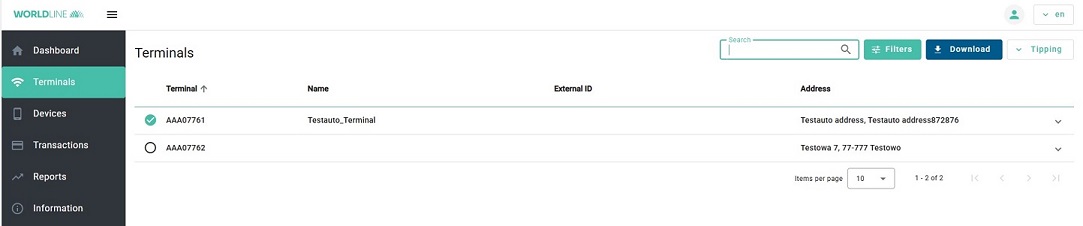
- Select a Terminal with status ‘Available’ on click the arrow button to expand the terminal view.
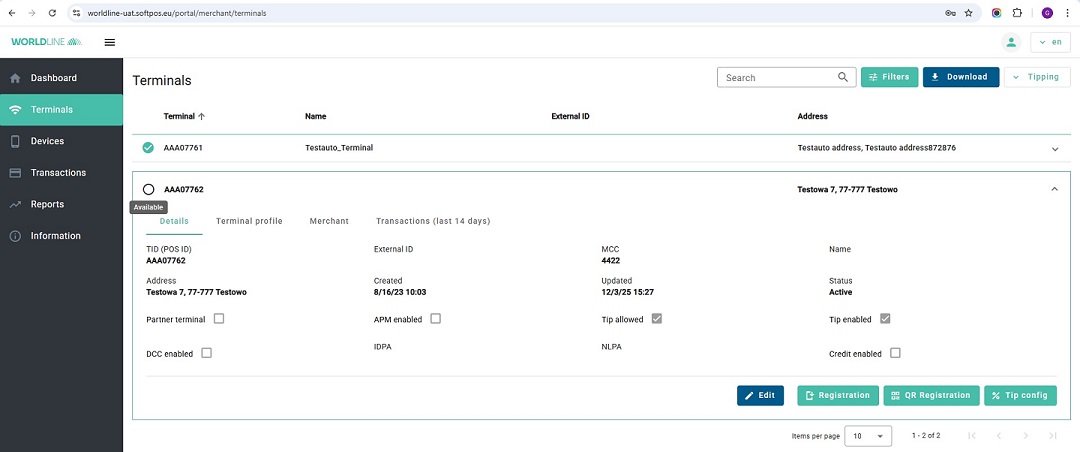 Press
Press Registrationbutton to start the terminal registration.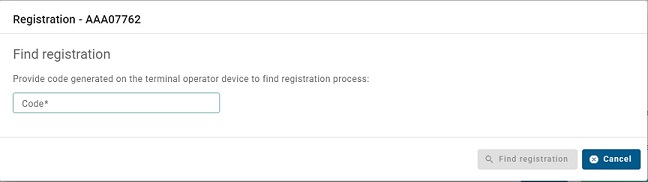
- In mobile app choose
Online terminal registration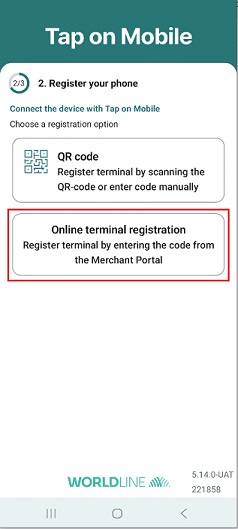 Then enter the code of the Worldline Tap on Mobile app entered in the ‘Code’ field of the online Portal. Afterwards click Find registration
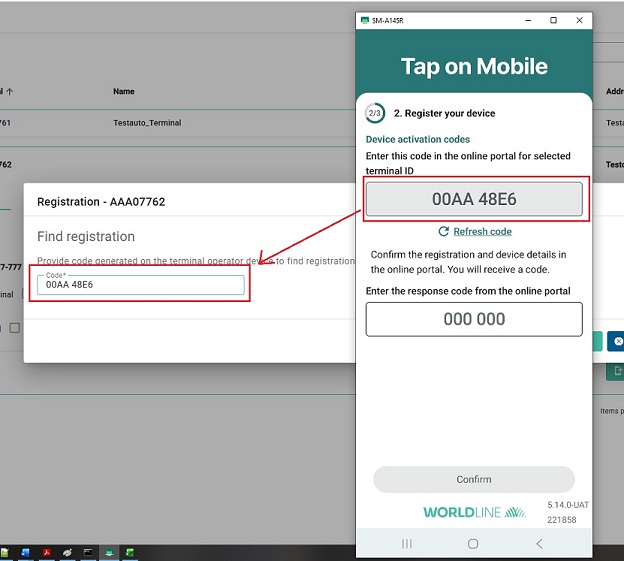
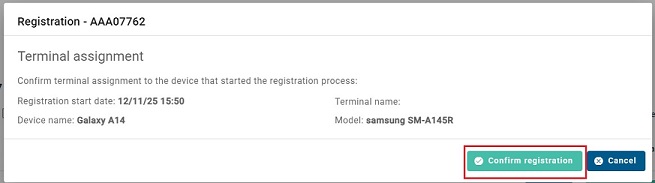
- Click
Confirm registration
- The online Portal displays a verification code. Enter this code in the terminal app.
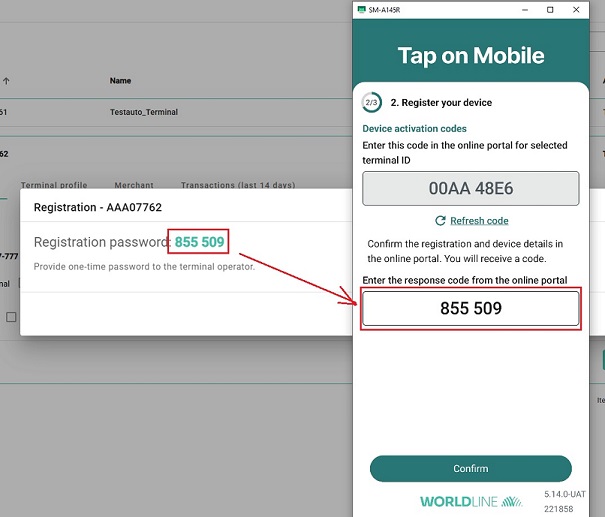
- Click the Close button in the online Portal at this stage. The terminal registration process in the online Portal is finished.
- Please finalize the registration on the terminal to get ready to accept payments. Please refer to
Worldline_Tap_on_Mobile_user_manualif guidance is needed.
Terminal registration process - based on qrcode
- Login to the online Portal and click on the ‘Terminals’ section.
- Select a Terminal with status ‘Available’ on click the arrow button to expand the terminal view. Press
QR Registrationbutton to start the terminal registration.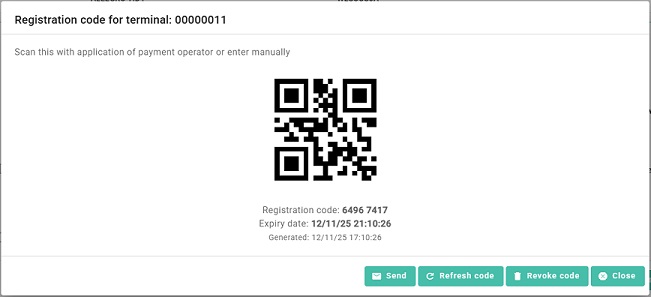
- In mobile app choose
QR code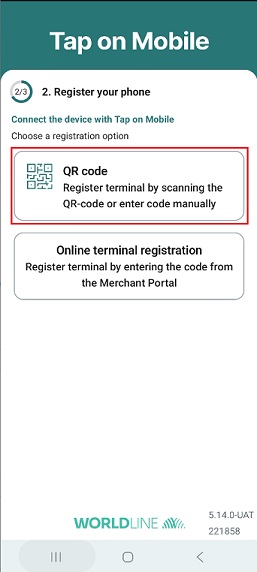 Then scan QR Code.
 - Click the Close button in the online Portal at this stage. The terminal registration process in the online Portal is finished.
- Please finalize the registration on the terminal to get ready to accept payments. Please refer to
Worldline_Tap_on_Mobile_user_manualif guidance is needed.
Backend-to-backend Terminal registration process
Tap on Mobile offers also a backend-to-backend registration process. A detailed desrition can be found at B2B activation