Navigating the API Reference
The Terminal API Reference defines the endpoints and Nexo Retailer message models used to communicate with Worldline payment terminals. This guide shows the current viewer with Terminal API - Latest selected: API v2, protocol 5.1-WL2.1.1.
Structure and navigation
Select Terminal API - Latest in the source selector at the top of the reference sidebar. The overview shows the API version, available servers, authentication settings, and client libraries. Use the integration server when developing and testing:
https://api.terminal.iacc.global.worldline-solutions.com
The sidebar groups operations under Payments, Device, Administrative, Reconciliation, Status, Integration, and Deprecated. Expand a group to select an operation. Models contains the request and response object definitions.
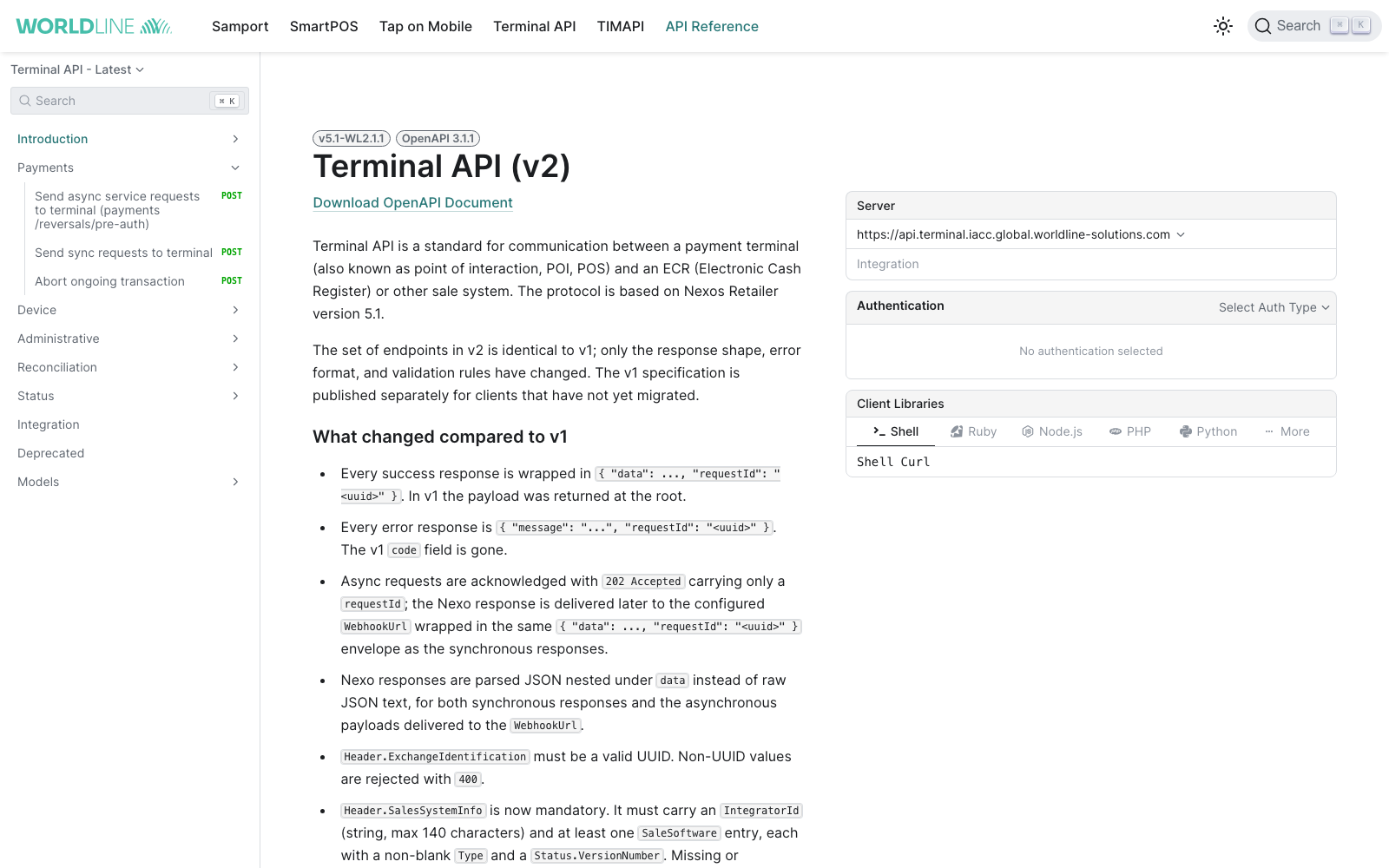
Screenshots captured on 25 September 2026. The latest specification may evolve; check the version shown in the viewer.
Reading endpoint details
Open Payments and select Send sync requests to terminal to explore the synchronous payment endpoint:
/api/v2/merchants/{umid}/terminals/{utid}/payments/syncEach operation provides:
- Method, path, and description: What the operation does, including delivery and timeout behaviour.
- Path Parameters:
umidandutididentify your merchant and terminal. - Body: The request model, required properties, and expandable nested objects.
- Responses: HTTP status codes and the corresponding response bodies. Use Show Schema in a response example to inspect its model.
- Request examples: A language selector and, where available, a named example selector in the code panel.
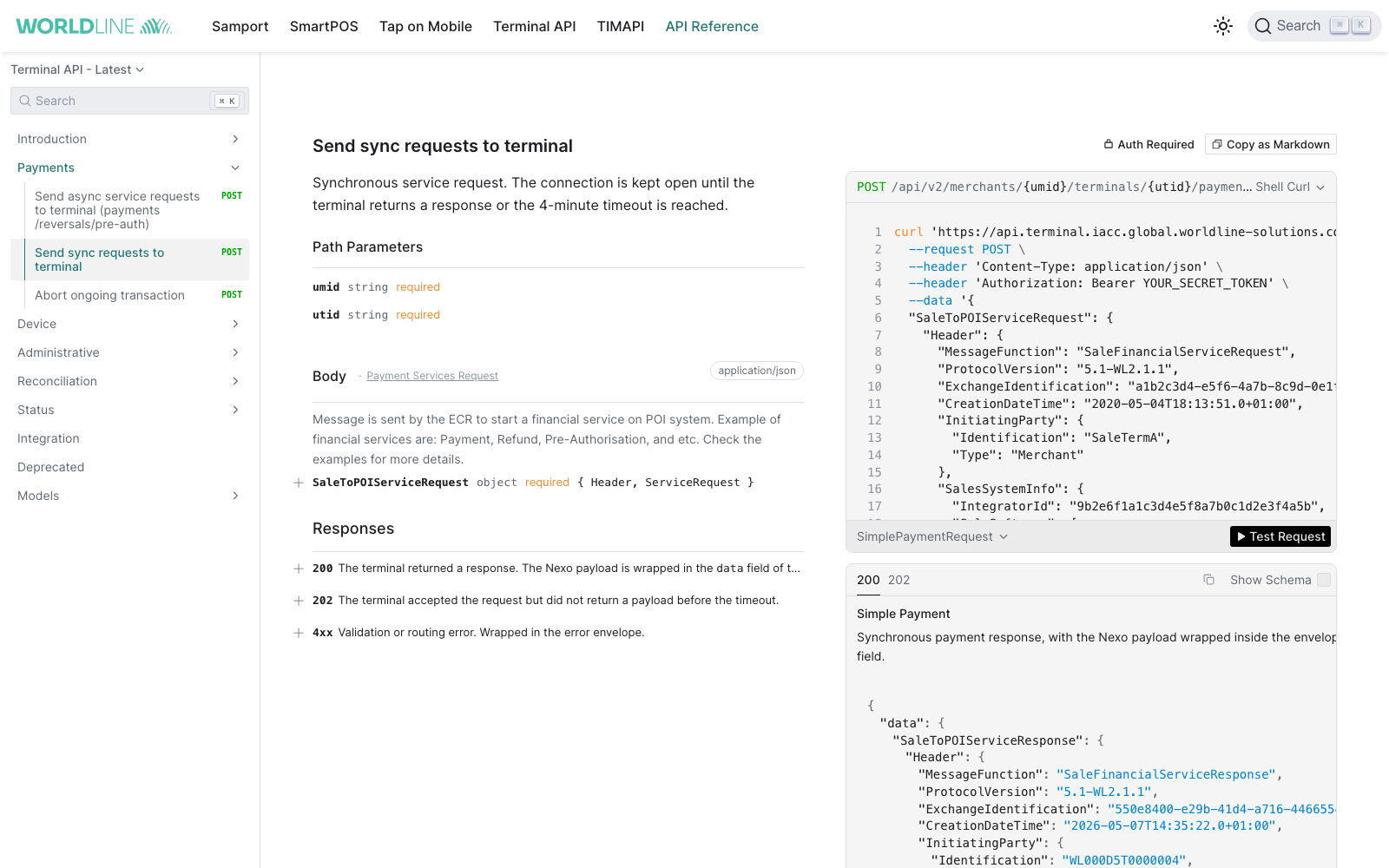
Use the authentication controls to configure your bearer token. The Test Request button can execute a request; configure your integration credentials, merchant, terminal, and payload before using it.
For a payment, the body contains SaleToPOIServiceRequest.Header and SaleToPOIServiceRequest.ServiceRequest. Required v2 header fields include ProtocolVersion, a UUID ExchangeIdentification, CreationDateTime, InitiatingParty, and SalesSystemInfo. Asynchronous requests also require WebhookUrl and NumberOfRetries; these are ignored by synchronous endpoints.
Read each operation's response definitions carefully. V2 terminal business payloads are inside data, alongside requestId. Asynchronous acknowledgements use root-level transactionId, status, and requestId, with 202 for new work or 200 for an existing exchange. Transaction-status lookup also returns its fields at the root. A synchronous timeout acknowledgement contains no terminal result. HTTP status and delivery state alone do not establish payment approval. See Sending your first request and asynchronous response handling.
Models and objects
Expand Models in the sidebar and select a model such as Header or SalesSystemInfo. A model shows property types and formats, required fields, descriptions, allowed values, and nested objects. Expand object properties to inspect the hierarchy used in your payload.
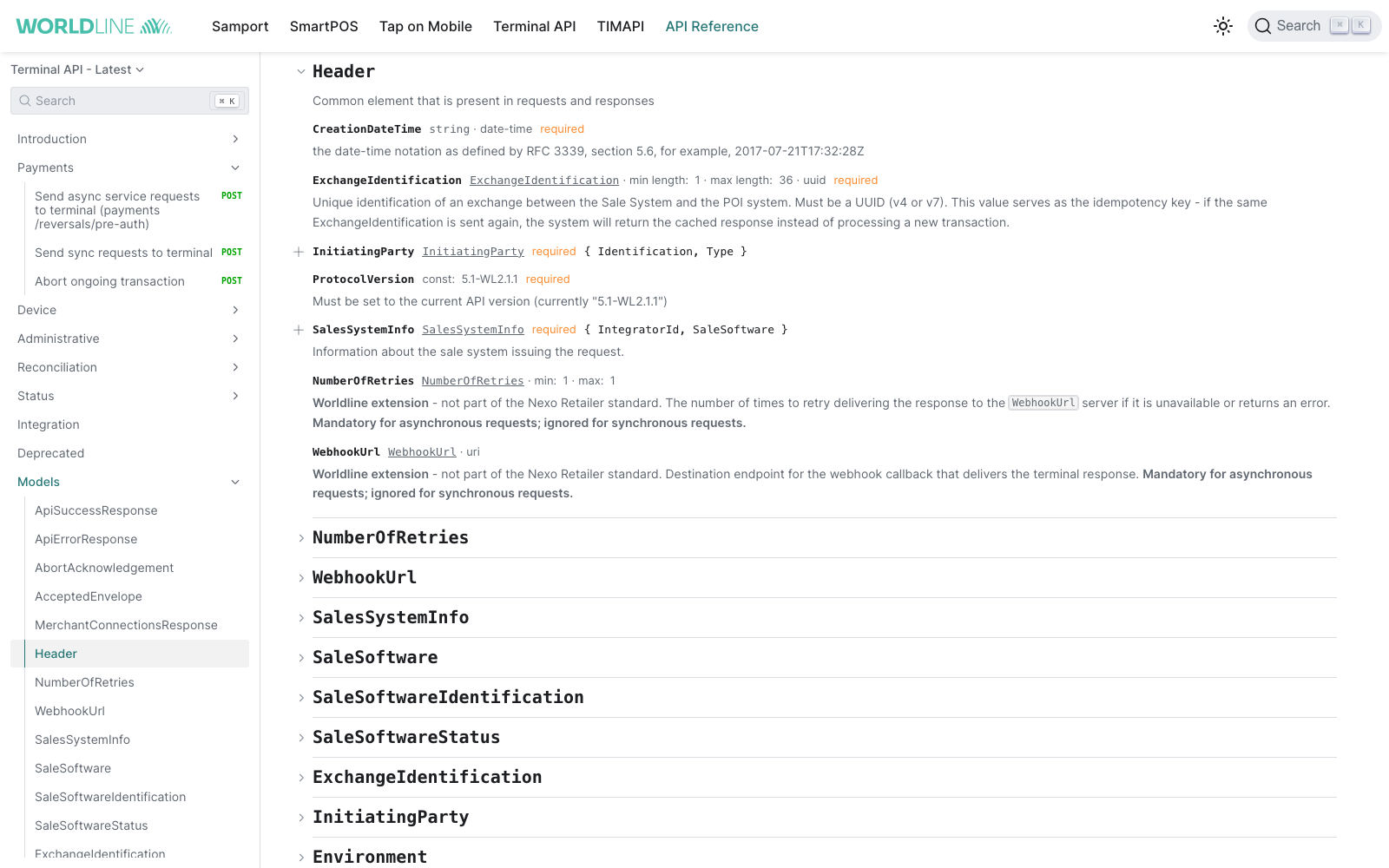
For example, expand SalesSystemInfo to inspect the integrator and sale-software fields required in v2. Follow the model definitions when validating payloads, including formats, numeric limits, and required nested properties.
Searching the reference
Use Search inside the API reference sidebar to find operations and models. This is separate from the portal's global documentation search. Search for a model such as SalesSystemInfo or SaleToPOIServiceRequest, or an operation keyword such as payments or Reconciliation, then select a result to open its definition.
Versioning and deprecation
Use Terminal API - Latest for current integrations. Terminal API - v1.0 remains available in the source selector for existing v1 integrations. Keep the endpoint version, protocol version, and request and response models consistent with the selected specification.
Operations under Deprecated should not be used for new integrations. Review the release notes and v1-to-v2 migration checklist when upgrading an existing integration.
Implementation tips
- Start with Sending your first request and Understanding our protocol to understand the message structure and transaction lifecycle.
- Validate payloads against the selected specification's models before sending them.
- Test in the integration environment before switching to production.
- Handle HTTP errors separately from Nexo business results. See FAQ and troubleshooting.
- For asynchronous integrations, review webhook delivery, timeouts, and retries.