Flows
This chapter describes general and guide-specific flows.
Hint: if no content visible, try to select a guide under "Guide Selection" on the left.
Basic Flows
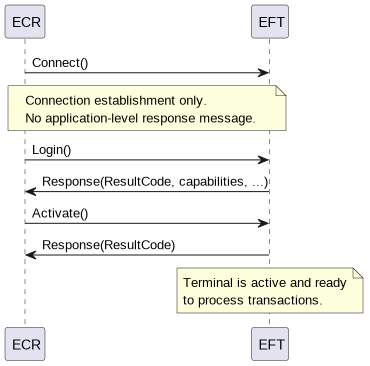
This section describes the typical lifecycle of a terminal in a TIM API integration.
The lifecycle is divided into three phases:
  * **Startup** : The terminal is initialized and prepared for operation.
  * **Operational phase** : The terminal processes transactions.
  * **Shutdown** : The terminal session is properly closed and resources are released.
After a successful activation, the terminal is ready to process transactions and remains in this state until it is explicitly deactivated.
Multiple transactions can be executed without repeating the startup flow.
The following diagrams illustrate the startup and shutdown sequences.
Note: Depending on the language binding, the methods shown in the diagrams may be available in synchronous and/or asynchronous variants. In asynchronous implementations, results are typically delivered via callbacks or listeners.
Flow: Startup
Flow: Shutdown
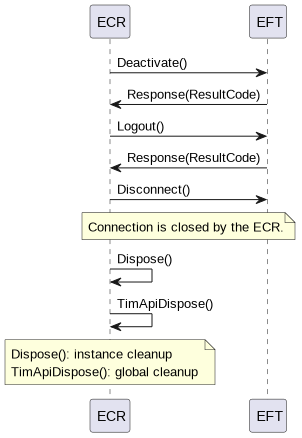
Note: TimApiDispose() is specific to the .NET implementation and releases internal static resources (e.g. message handlers and logging). It is not part of the terminal communication flow and should typically be called once when the application terminates.
Petrol Additional Flows
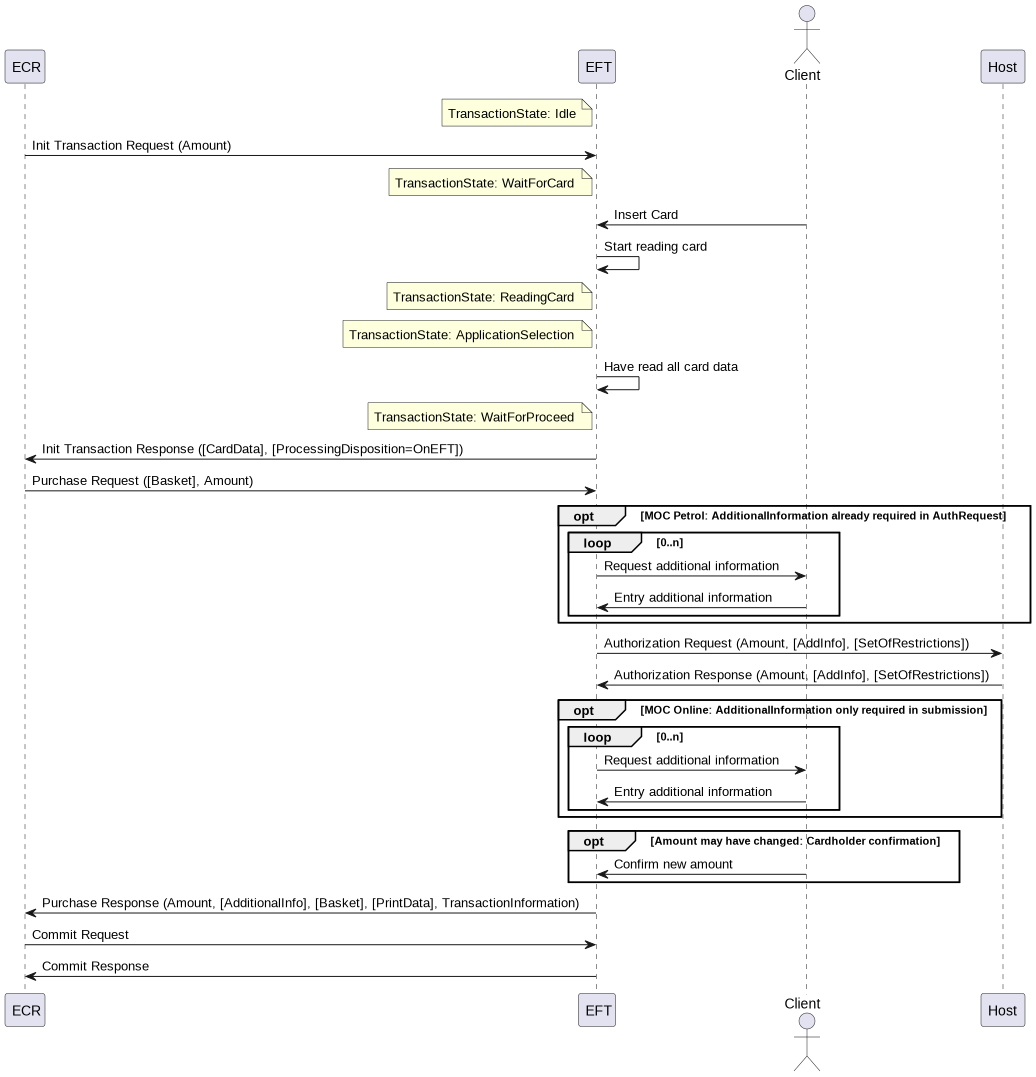
Petrol Flow: Indoor - Online Card
Petrol Flow: Outdoor - Online Card
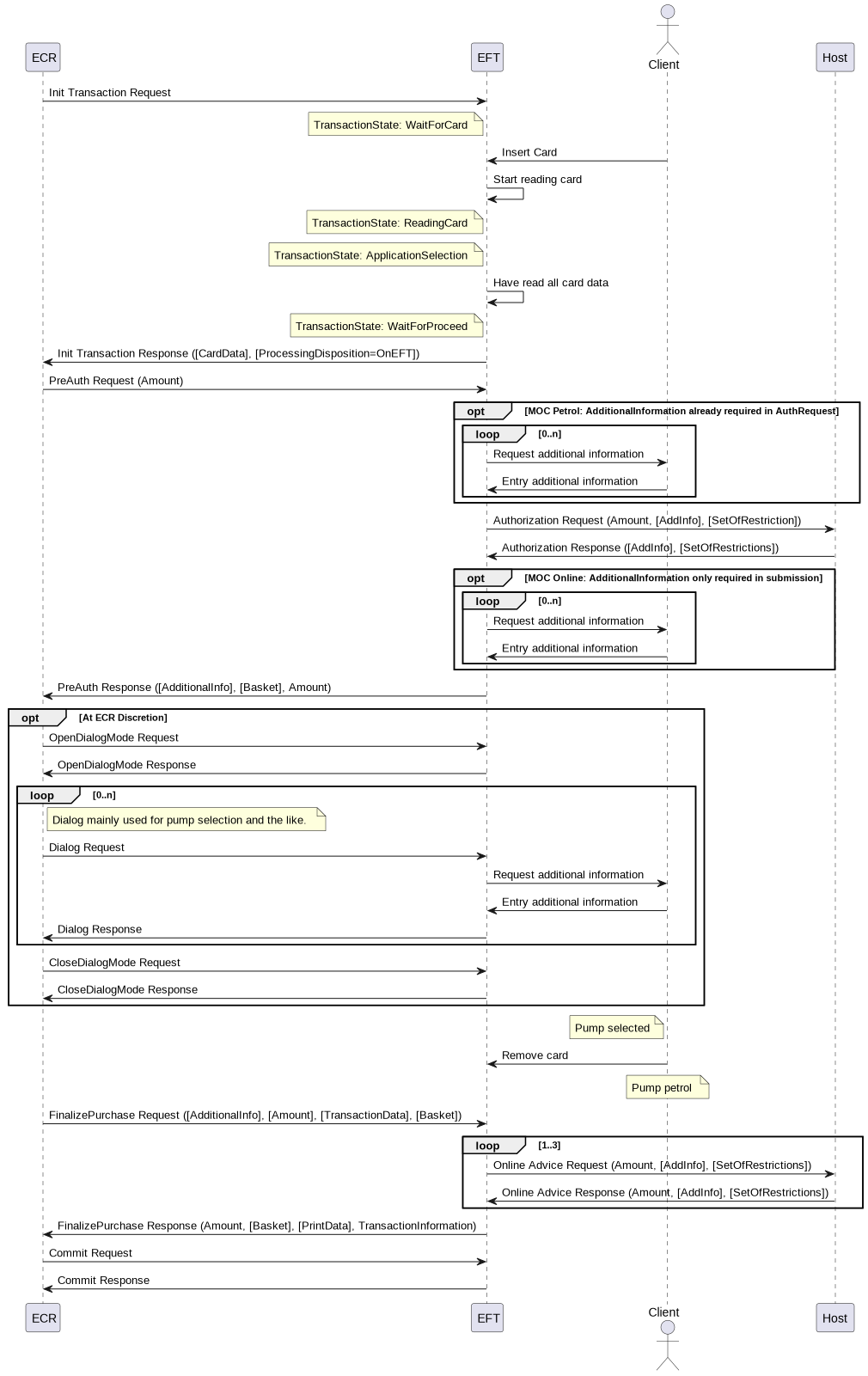
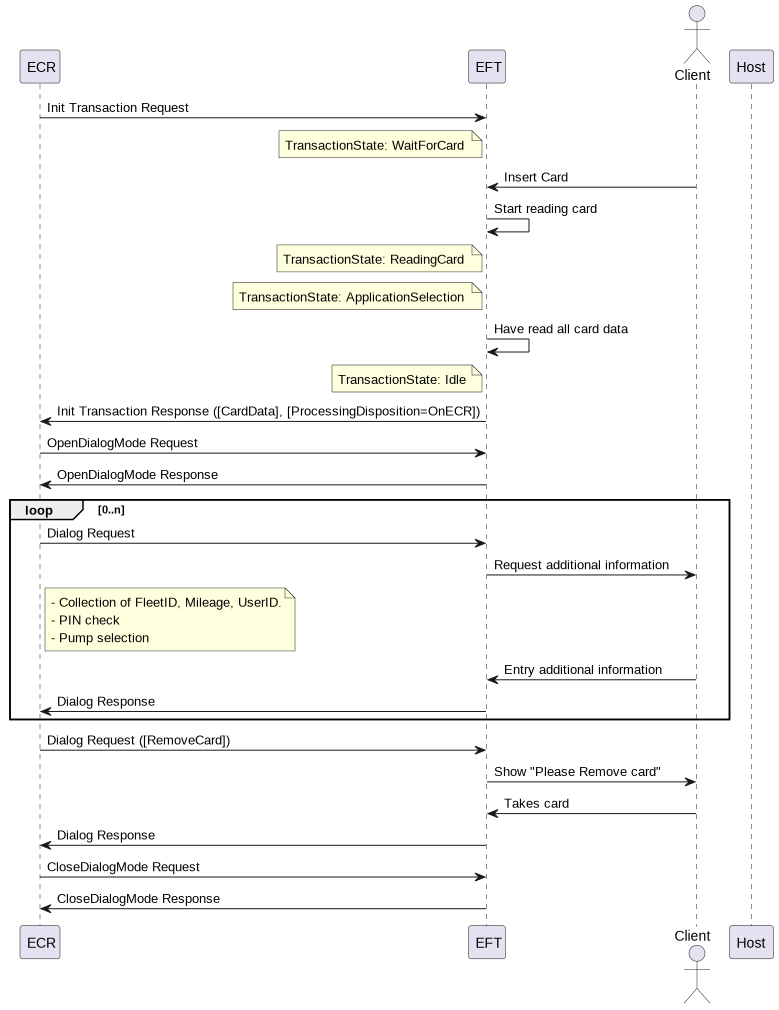
Petrol Flow: Indoor - Offline Card
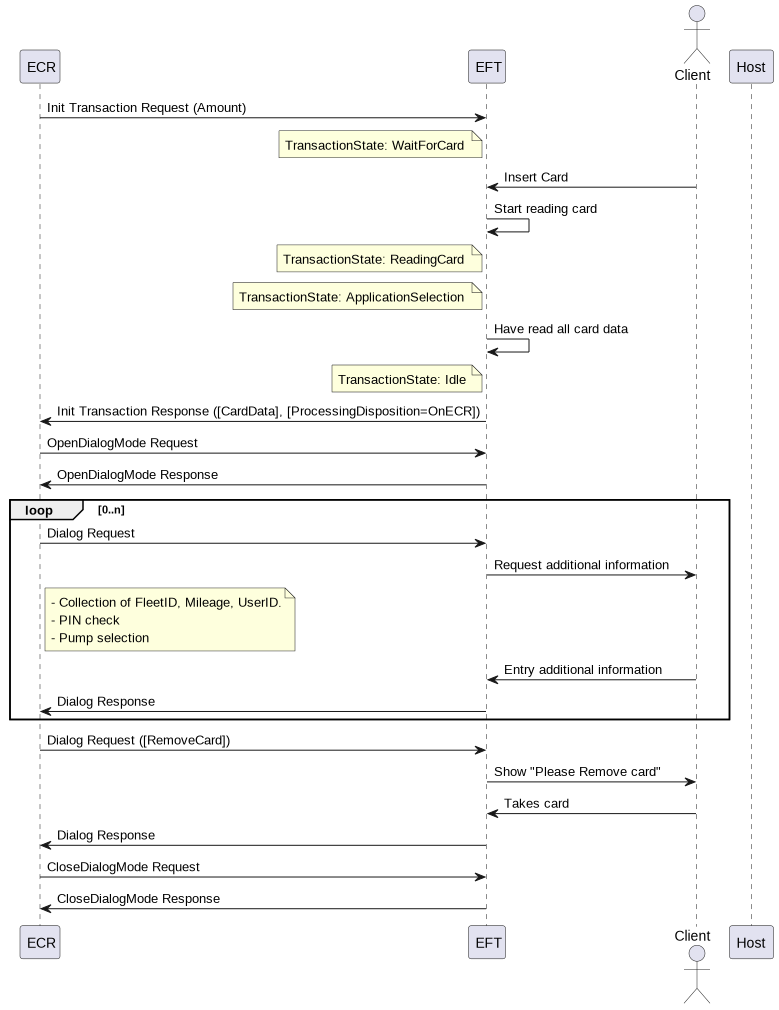
Petrol Flow: Outdoor - Offline Card
Guide Unattended Additional Flows
Flow: Partial Commit
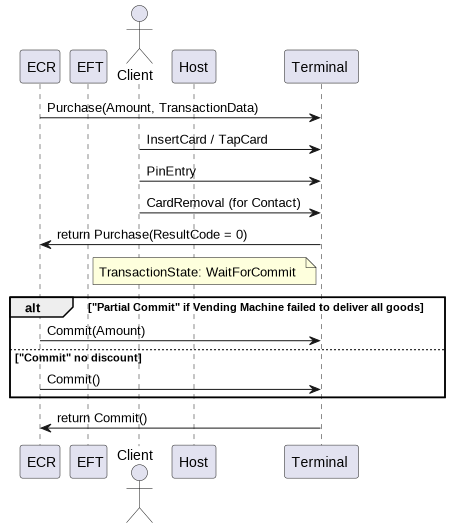
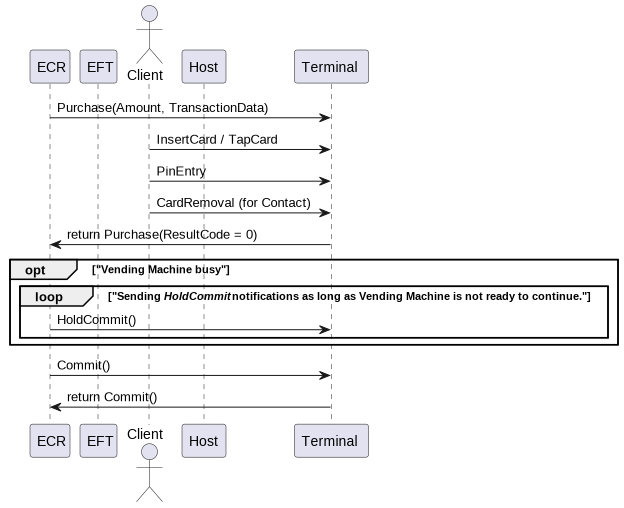
Flow: Hold commit
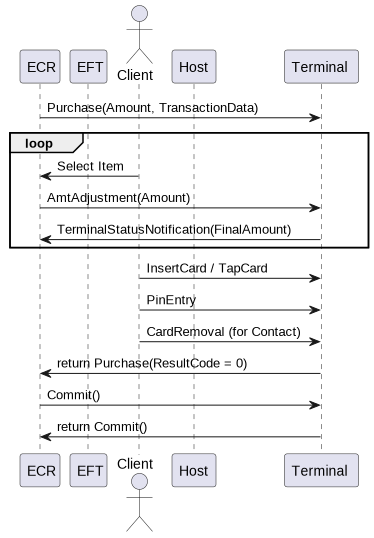
Flow: Amount adjustment
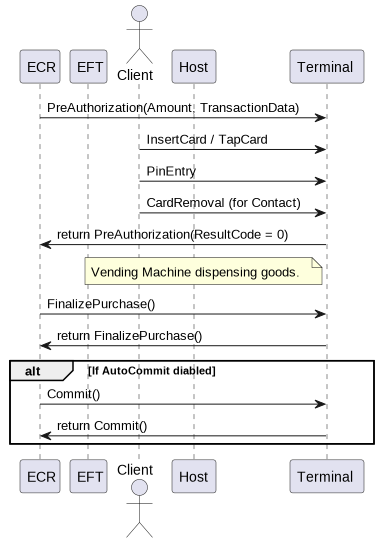
Flow: PreAuthorization
Flow: Retain card
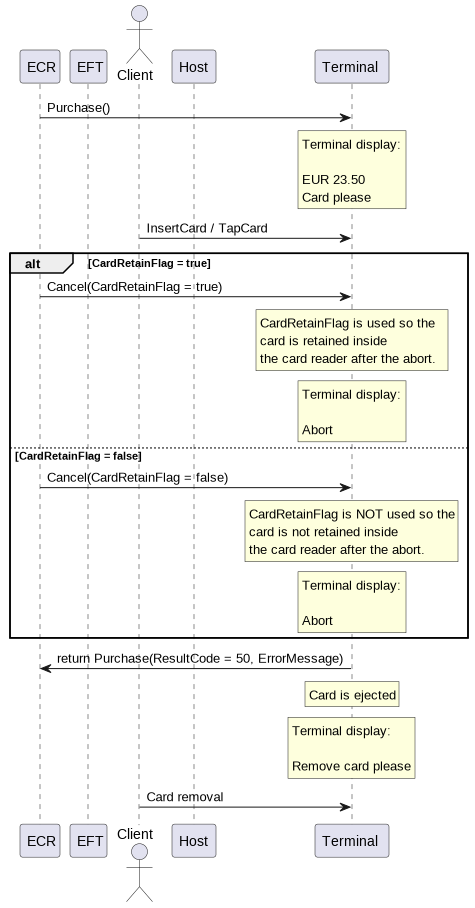
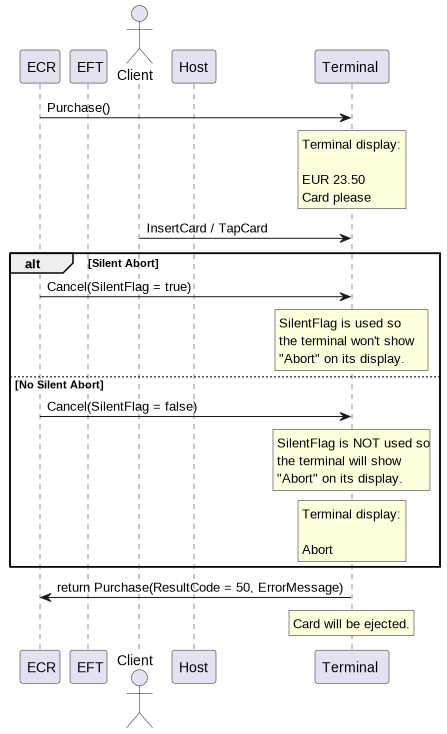
Flow: Silent abort
Banking Additional Flows
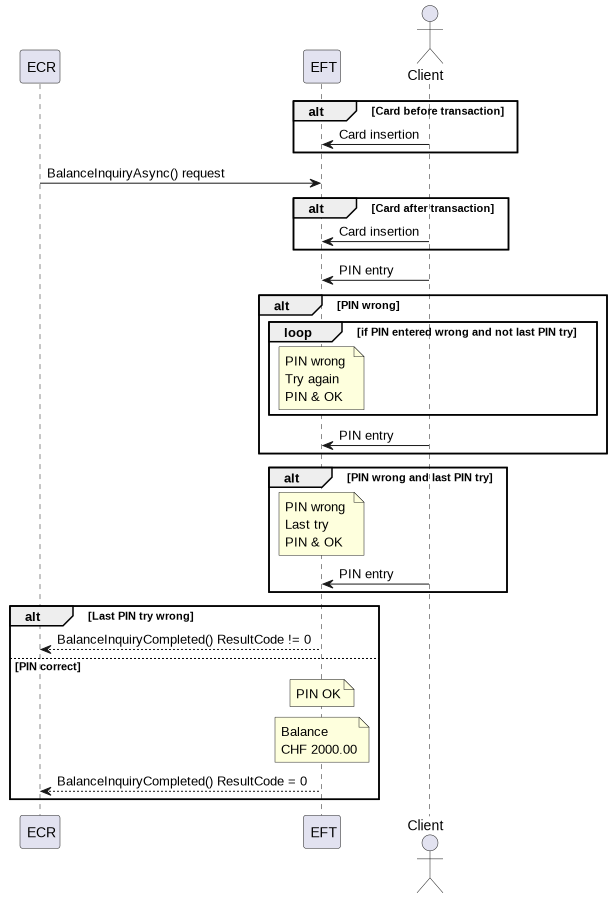
Banking Flow: BalanceInquiry
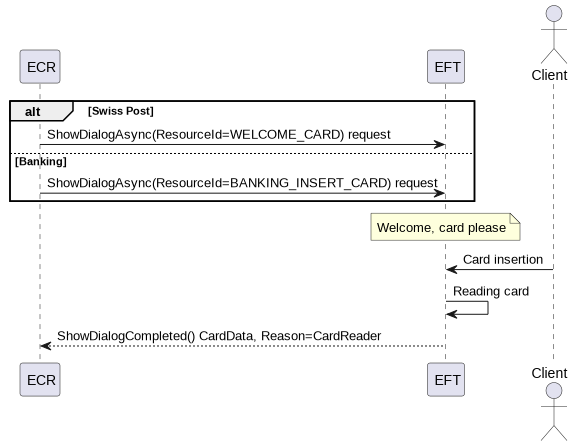
Banking Flow: Client Identification
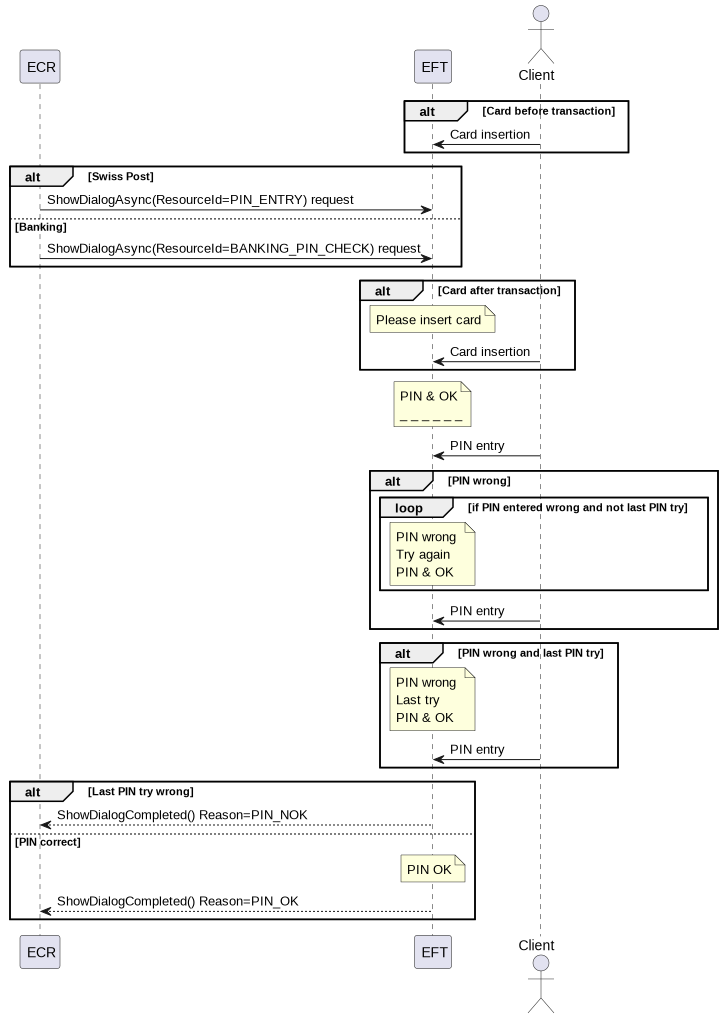
Banking Flow: Card Identification
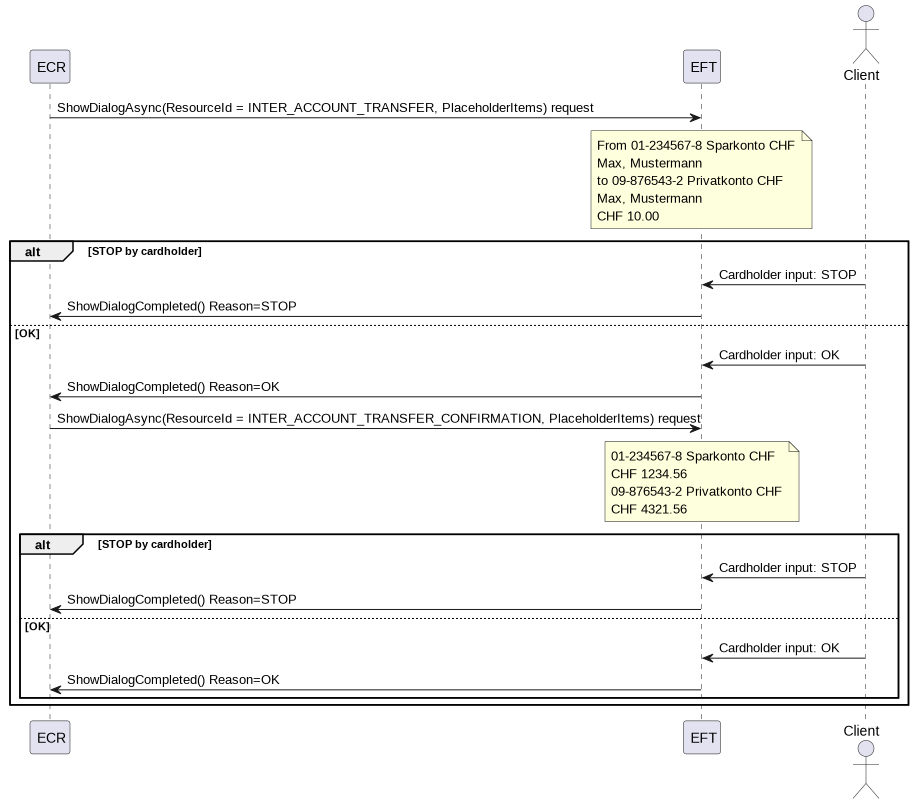
Banking Flow: Account Transfer
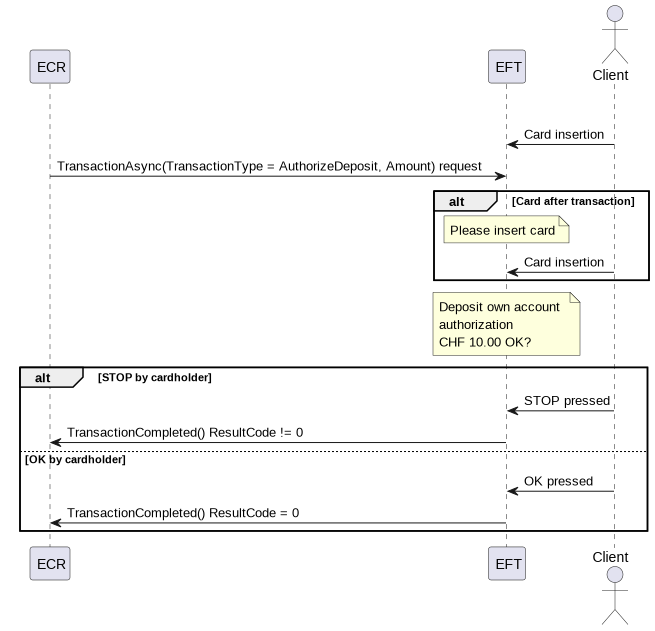
Banking Flow: Account Deposit
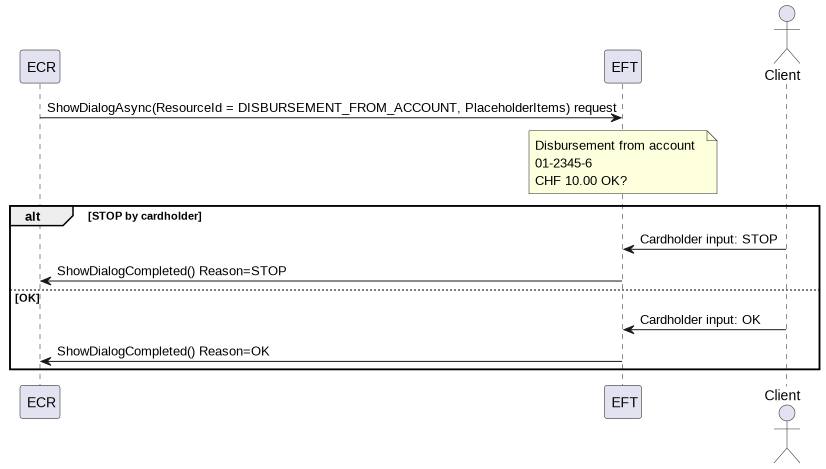
Banking Flow: Account Payout
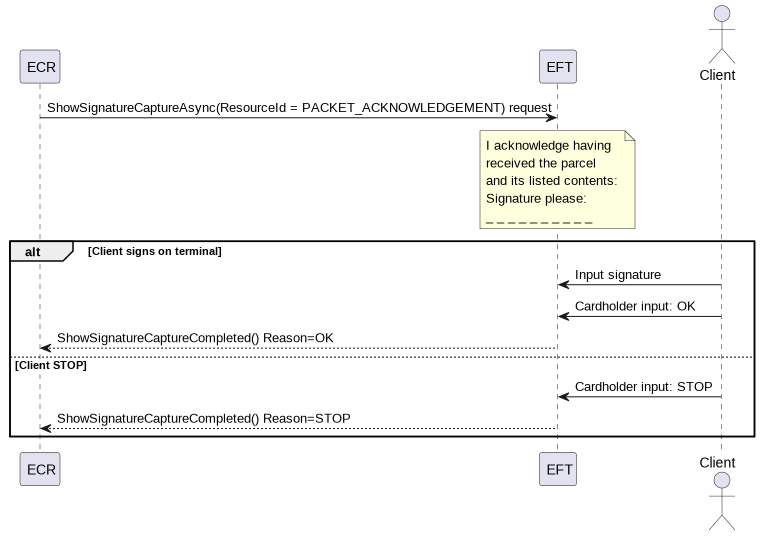
Banking Flow: Parcel Acknowledgement
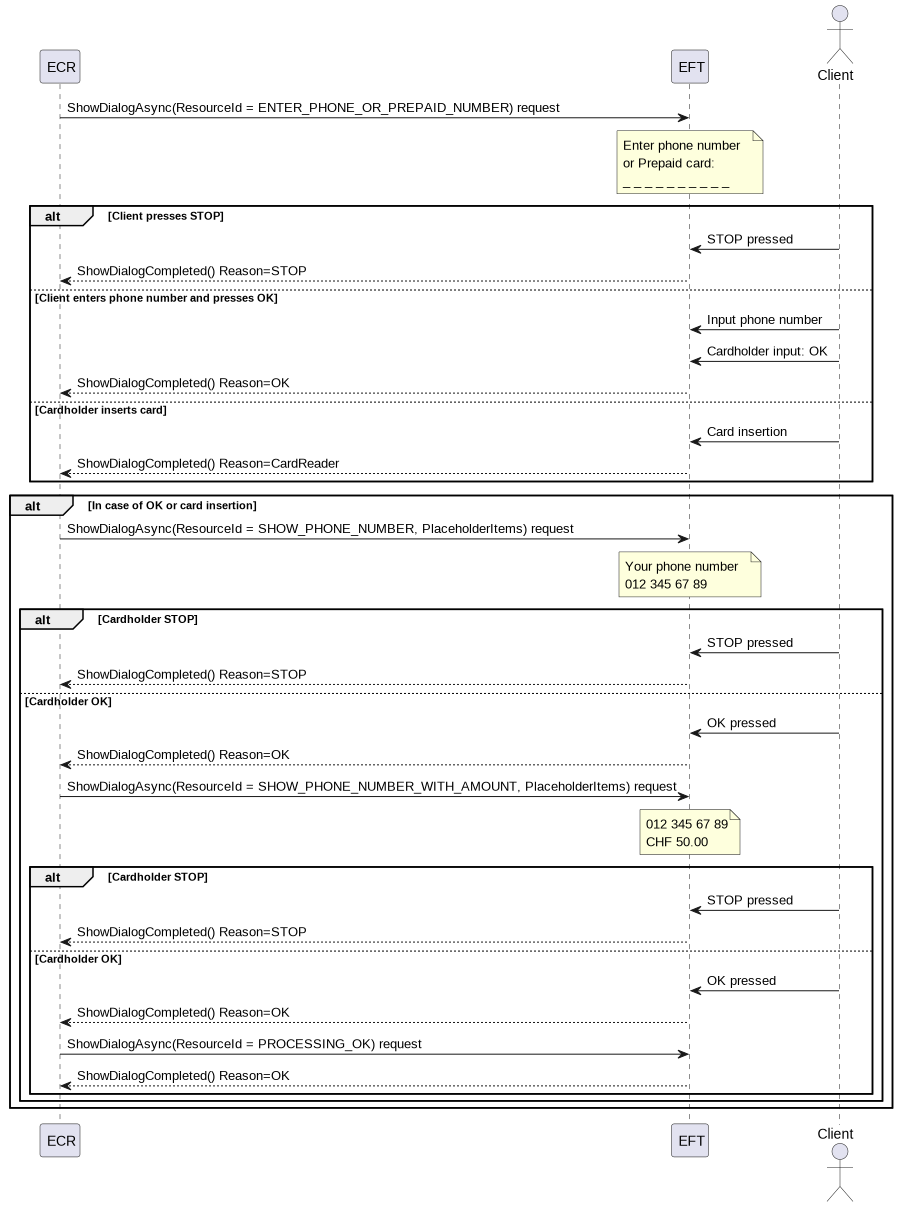
Banking Flow: Load PrePaid Phone
Guide Austrian Additional Flows
Austrian Flow: NGV Purchase without delay
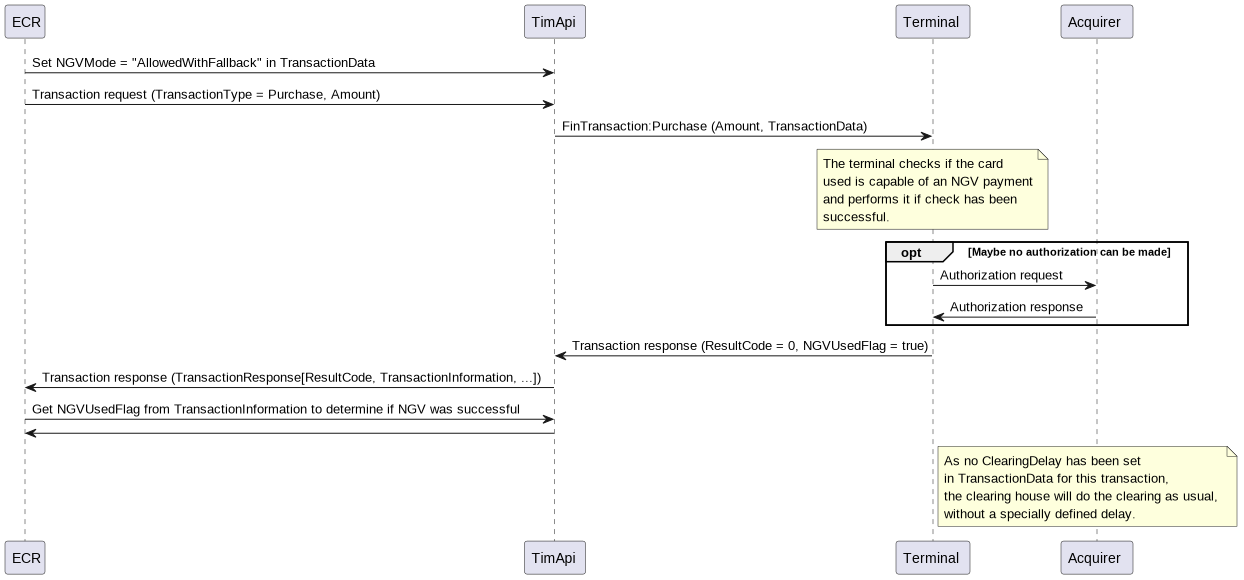
The following flow describes an NGV purchase without any specific clearing delay set. The NGVMode "AllowedWithFallback" is used which indicates it the card used is not capable of NGV payments the terminal is allowed to make a fallback to a standard purchase. This flow shows a successfully performed NGV payment which can be seen by checking the value NGVUsedFlag, which is set to "true".
Austrian Flow: NGV Purchase with delay
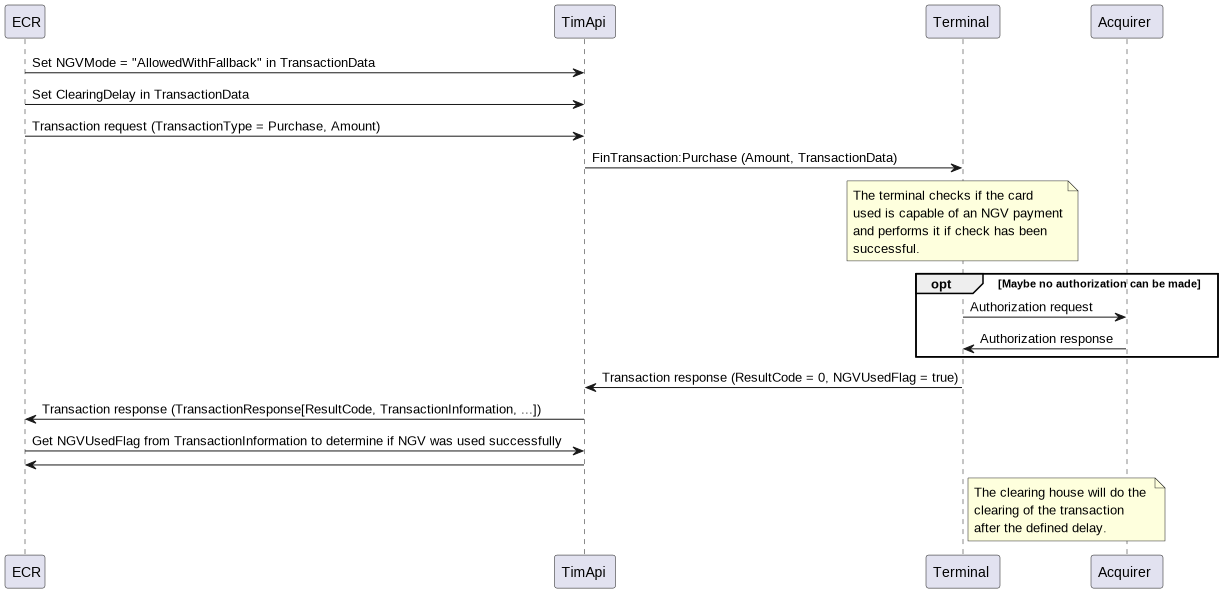
In the flow below, additionally to the NGVMode "AllowedWithFallback" also the ClearingDelay is set to define a specific clearing delay in days. This means that the NGV payment clearing will be delayed by the amount of days specified. This flow shows a successful NGV payment including a clearing delay.
Austrian Flow: NGV Purchase fallback with Non-NGV card
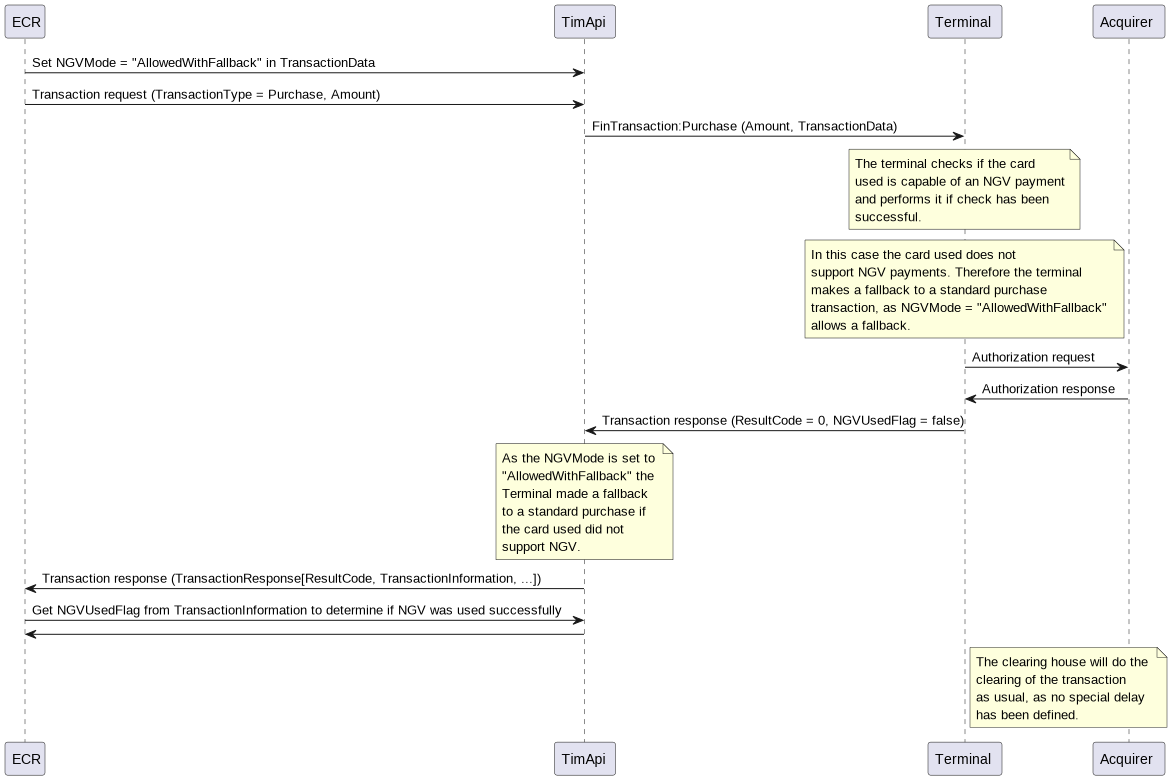
The following flow describes an NGV payment with NGVMode "AllowedWithFallback" which results in a fallback to a standard purchase due to the fact that the card used is not capable of NGV payments. The NGVUsedFlag is used to determine if the NGV payment was performed as such or if a fallback was used. In this case the NGVUsedFlag value is set to "false" which indicates that the requested NGV payment was not successful and the fallback to a standard purchase has been done.
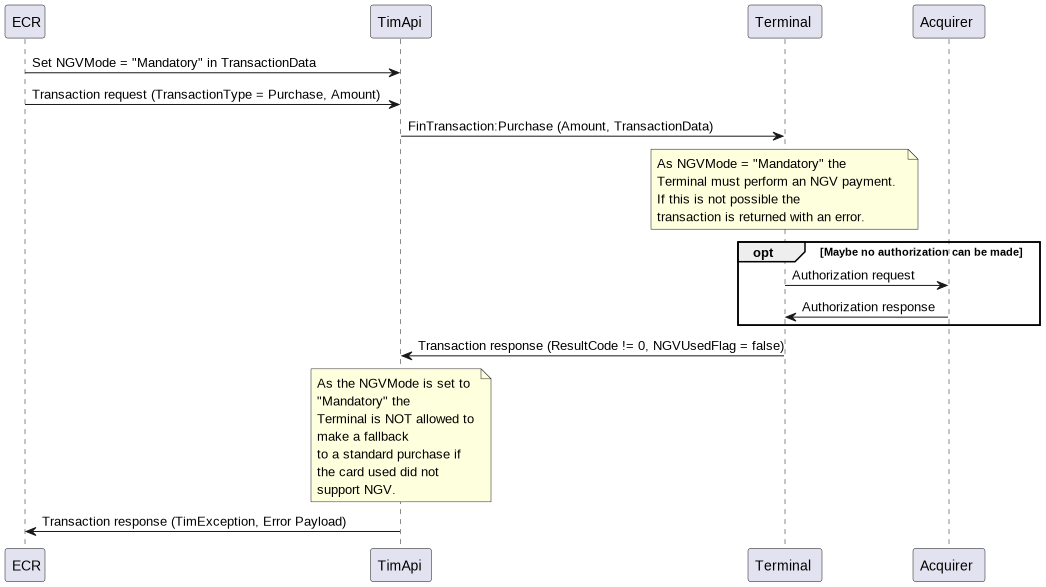
Austrian Flow: NGV Purchase mandatory with error
The following flow describes a mandatory NGV purchase transaction which could not be performed by the terminal. As the used NGVMode is "Mandatory" but the card used is not capable of NGV payments, the transaction results in an error which means a ResultCode != '0' and an error payload as transaction response.